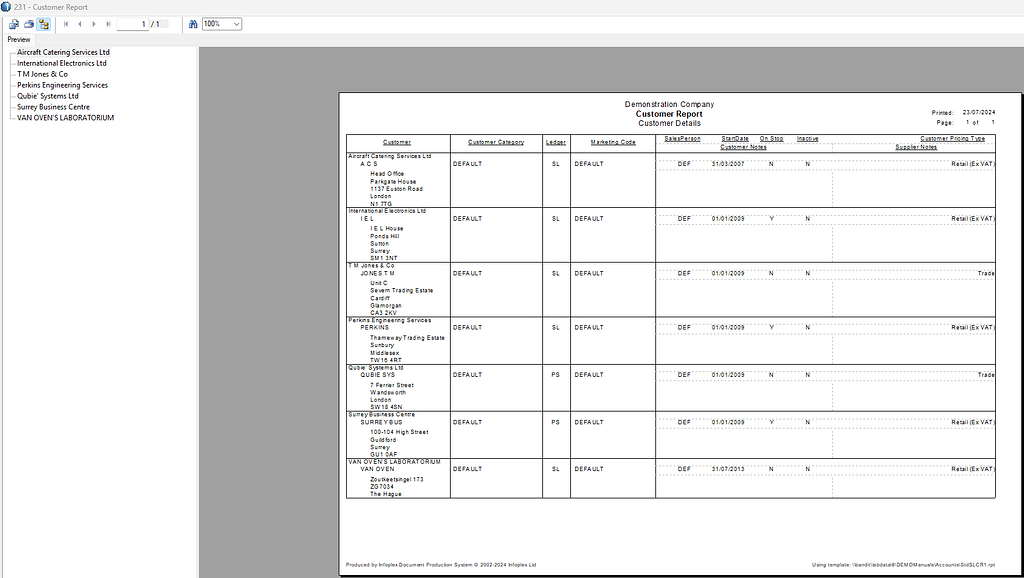
| Purpose & Benefits |
|---|
| This function lets you generate a report of customers via workfiles using Report Templates for report layouts, which can also be exported to other file formats (CSV, Excel etc). More than 60 columns (fields) of customer/supplier information are available for use in report/export templates. |
The process begins by giving you a comprehensive form with which to filter your customers or suppliers; in this example it is customers:
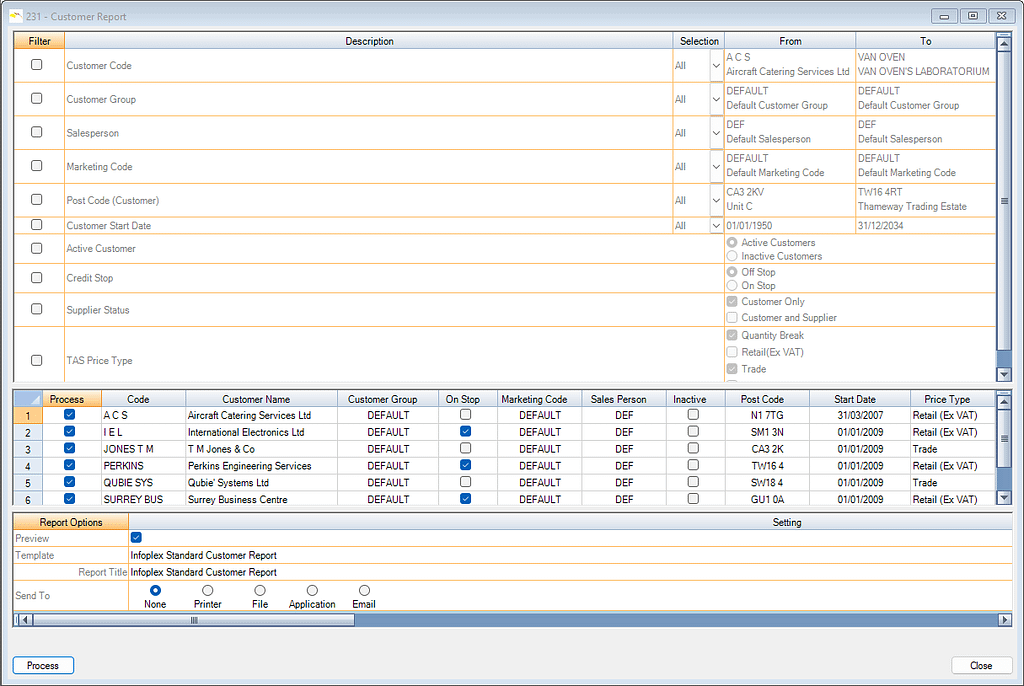
Filters allow you to narrow the report parameters (choices) based on your selections.
By default, no filters are applied except for the ‘Active Customers only’ one. You have many separate filter options:
| Filter | Options | Remarks/Notes |
|---|---|---|
| Customer/Supplier Code | All, Range or Single | |
| Customer/Supplier Group | All, Range or Single | |
| Salesperson | All, Range or Single | |
| Marketing Code | All, Range or Single | |
| Post Code | All, Range or Single | Range or Single can start with blank in case no post code |
| Customer Name | All, Range or Single | |
| Start Date | All, Range or Single | |
| Active Customer | Active, Inactive or both | |
| Credit Stop | On Stop, Off Stop or both | |
| Supplier Status | Customer/Supplier only, Customer and Supplier or both | |
| Price Type | any combination of: Qty Break, Retail, Trade and Wholesale |
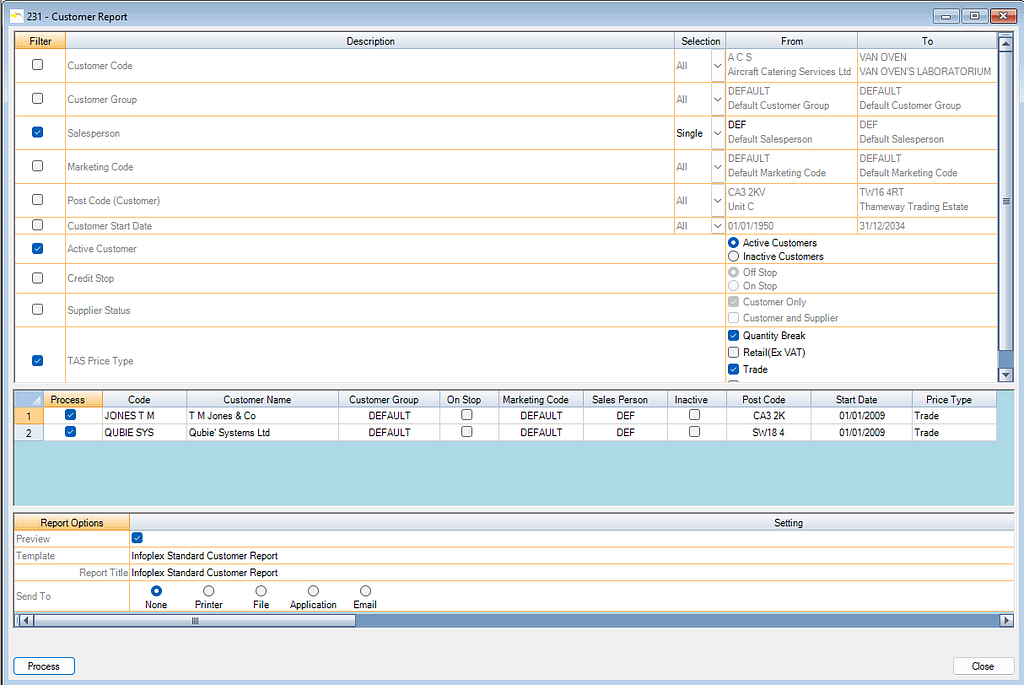
The form below shows a typical filter scenario. Here only customers for:
- a Single Salesperson
- who are still Active and
- whose Price Type is Quantity Break or Trade , are to be processed.
Select Report Template to use
Select from the drop down list the template you wish to use. To add or alter a template, see Document Templates in the Central menu.
Click the Process button to produce a report which is displayed for preview.